

A news widget is a self-contained, dynamically updating interface element that displays live headlines and article summaries directly on a webpage, without any manual content updates from the site owner. Many people mistake these tools for simple scrolling tickers or static link lists. In reality, they are sophisticated pieces of technology that pull from live data sources, refresh automatically, and can be configured to match specific topics, industries, or audiences. This guide covers the news widget definition, how different types work, their benefits, and how to implement one effectively.
Table of Contents
- Key takeaways
- What is a news widget and how does it work
- Types of news widgets
- Benefits of news widgets for sites and businesses
- How to use a news widget on your website
- My perspective on news widgets in 2026
- Stay ahead with Thexreporter
- FAQ
Key takeaways
| Point | Details |
|---|---|
| News widgets update automatically | They pull live content from feeds or APIs without requiring manual site edits. |
| Multiple widget types exist | RSS-based, API-driven, and personalized widgets each serve different use cases. |
| Technical isolation matters | Shadow DOM and asynchronous loading keep widgets fast and conflict-free. |
| Engagement improves with fresh content | Websites displaying live news retain visitors longer and see higher repeat traffic. |
| Implementation requires planning | Feed format, update frequency, and host compatibility must be checked before deployment. |
What is a news widget and how does it work
At its core, a widget is a small, independent UI box that delivers changing information, such as news headlines or weather data, without reloading the surrounding page. That independence is what separates a news widget from a static link block or a manually curated sidebar.
The term used in formal web development is embeddable web widget. The phrase "news widget" describes the specific application: a web widget configured to display news content. Both terms are used throughout this guide.
Here is what distinguishes a news widget from generic content blocks:
- Live data connection: Content is pulled from an external feed or API and refreshes on a defined schedule.
- Page independence: The widget operates without interrupting host page scripts or styles, often using Shadow DOM isolation to prevent conflicts.
- Minimal footprint: A well-built embeddable widget loads asynchronously and caches data locally using localStorage, reducing load time and server demand.
- Single-tag embedding: Most modern widgets deploy via a single script tag, making integration straightforward even for non-developers.
Pro Tip: Before embedding any news widget, confirm that it loads asynchronously. A synchronous widget blocks page rendering and can noticeably slow your site, which affects both user experience and search rankings.
The difference between a news widget and a static content block is not cosmetic. A static block shows the same content until someone edits it manually. A news widget connects to a live source, checks for updates, and renders fresh content on its own schedule.

Types of news widgets
Not all news widgets operate the same way. The format, data source, and delivery method vary significantly depending on the use case. Understanding these distinctions helps in selecting the right tool.
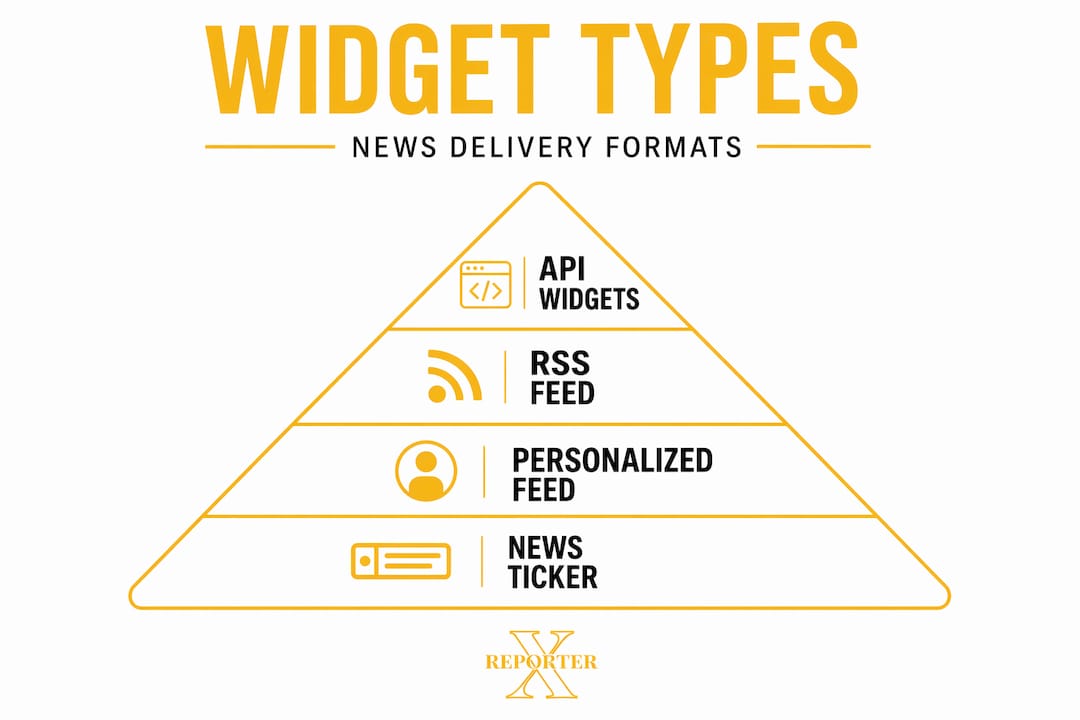
| Type | Data source | Best for | Update speed |
|---|---|---|---|
| RSS/Atom feed widget | Publisher RSS feeds | Niche topic tracking | Every 15 to 60 minutes |
| API-driven widget | Aggregated news APIs | Broad topic coverage | Near real-time |
| Personalized feed widget | Algorithmic curation | Audience-specific news | Continuous |
| News ticker widget | RSS or API | Breaking news display | Real-time |
| Mobile app widget | App backend or RSS | Home screen news | Configurable |
Each type serves a different purpose. RSS and Atom feed widgets are the most common entry point for smaller publishers and personal sites. They pull from publisher-defined feeds and are easy to configure, though they depend on the source maintaining a consistent feed structure.
API-driven widgets offer broader coverage. Platforms like Google News pull from over 145,000 sources dynamically, making API-connected widgets capable of aggregating content across industries in near real-time. For businesses covering markets, politics, or technology, this type provides the most current coverage.
Personalized feed widgets go one step further. Users or site owners can follow specific sources and topics, which means the widget surfaces content most relevant to a defined audience rather than broadcasting everything equally. This is particularly useful for publisher sites or corporate news portals where audience relevance directly affects engagement.
News tickers, often seen on financial news sites, display scrolling headlines in a narrow strip. They are effective for high-frequency updates but less suitable for in-depth content discovery.
Benefits of news widgets for sites and businesses
The most measurable benefit is content freshness. Websites with live content retain visitors longer and generate more repeat visits than sites with static pages. A news widget creates a reason to return. This is particularly relevant for businesses whose audiences track industry developments, such as financial firms, legal publishers, or technology media.
Additional advantages include:
- No editorial overhead: Content updates without staff intervention, reducing the cost of keeping a site current.
- Audience engagement: Live headlines prompt readers to click through, increasing pages per session and time on site.
- Customization: Widgets can be filtered by keyword, topic, region, or source, ensuring the content displayed is relevant to the site's audience.
- Monetization potential: Some widget formats support sponsored content slots or display advertising within the feed, creating a revenue layer alongside editorial content.
- SEO signals: Frequent content changes signal activity to search engine crawlers, which can support indexing frequency for the host page.
Pro Tip: Do not display every category of news on a single widget. Filter feeds by topic to match your audience's specific interests. A financial services firm showing general world news loses the relevance benefit entirely.
Understanding how news pushes notifications to devices illustrates why real-time delivery has become an expectation, not a luxury. News widgets bring that same expectation directly into the browsing experience.
How to use a news widget on your website
Implementation varies by platform and widget type, but the general process follows a consistent sequence.
- Select a news source or aggregator. Identify whether you need a single publisher's RSS feed or an aggregated API covering multiple sources. Your choice depends on topic breadth and update frequency requirements.
- Choose an embedding method. Most widgets deploy via a script tag placed in the HTML body. Some providers offer iframe-based embeds, though iframes carry more isolation limitations. Script-based widgets using Shadow DOM provide better style control.
- Configure the widget settings. Set the topic filters, number of headlines displayed, refresh interval, and visual styling to match your site's design.
- Check feed compatibility. Feed format and host environment compatibility must be verified before deployment. Proper feed normalization, including ISO 8601 date formatting and consistent excerpt fields, prevents display errors.
- Test across devices. Confirm the widget renders correctly on desktop and mobile. Check load time before and after embedding to measure performance impact.
The most common errors in implementation come from mismatched feed formats and skipped compatibility checks. If the source feed does not follow consistent metadata schemas, the widget may display incomplete headlines, broken timestamps, or missing summaries.
My perspective on news widgets in 2026
I've observed one consistent mistake across sites that implement news widgets: they optimize for volume instead of relevance. Teams add a widget pulling from 50 sources and assume more content means more value. What I've found is the opposite. Narrow, well-filtered feeds outperform broad ones on every engagement metric.
The technical side is also underestimated. I've seen sites where a poorly built widget slows page load by two full seconds, which offsets every benefit the fresh content provides. Asynchronous loading with local caching is not optional. It is the baseline requirement for any widget worth deploying.
The future of these tools sits in multi-platform normalization. The same widget logic needs to function on a CMS, a financial terminal, and a mobile app without separate builds. Providers that solve feed normalization cleanly will hold a significant advantage. For anyone learning how news goes viral, the widget is increasingly where that discovery starts.
— Trevor
Stay ahead with Thexreporter
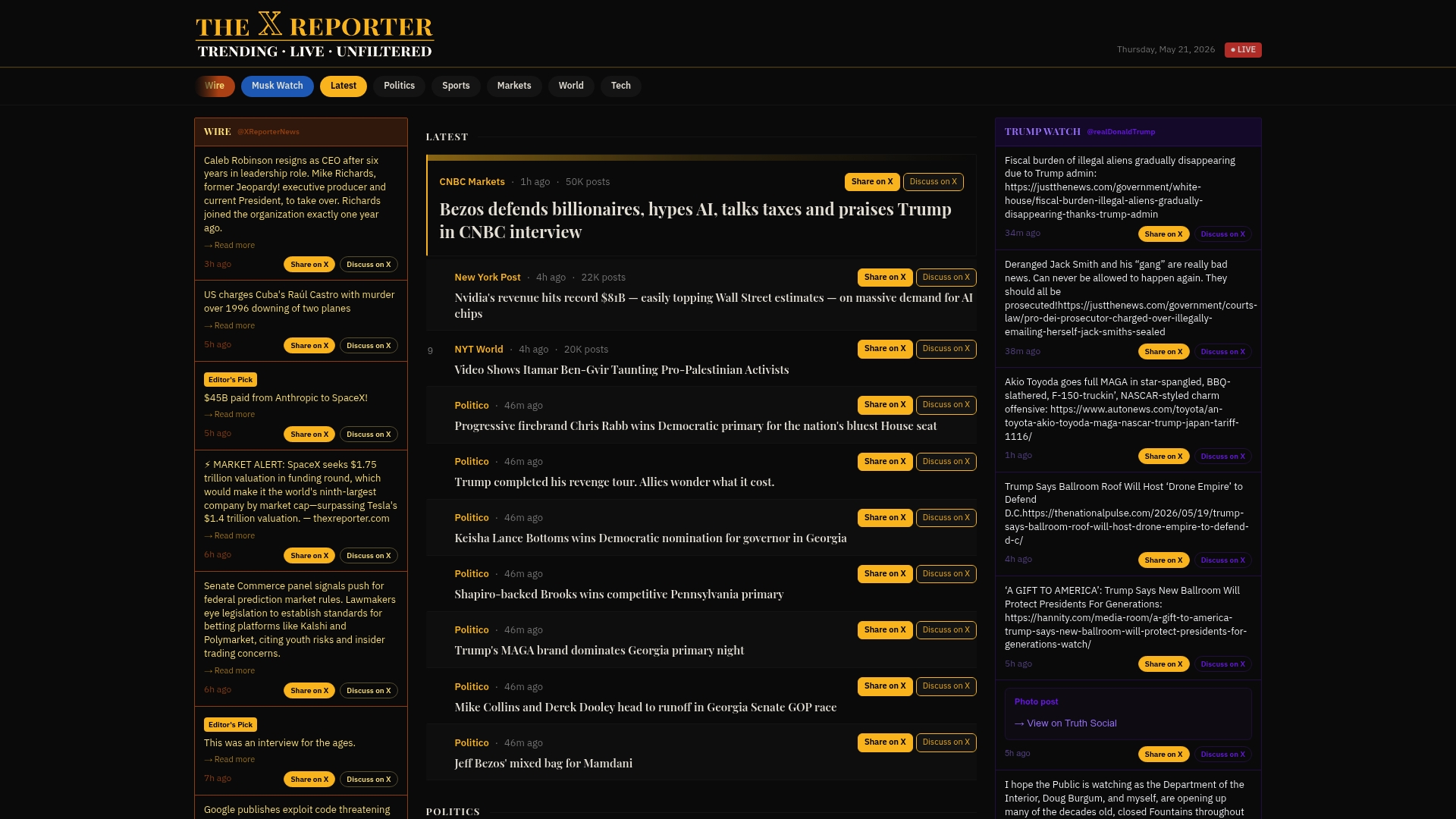
Thexreporter delivers live, curated news feeds across politics, technology, and markets, formatted precisely for fast reading and easy integration. For businesses evaluating news widget solutions, or individuals who want a single reliable destination for breaking coverage, Thexreporter provides the editorial depth and aggregation speed that generic feeds cannot match. If you are assessing how widgets support broader publisher engagement strategies, Thexreporter is a practical starting point worth exploring.
FAQ
What is the simplest news widget definition?
A news widget is a small, self-contained web element that displays automatically updated headlines or article summaries on a page, drawing content from an RSS feed or news API without manual input.
What are the main types of news widgets?
The primary types include RSS/Atom feed widgets, API-driven aggregation widgets, personalized topic widgets, and scrolling news tickers. Each differs in data source, update speed, and configuration complexity.
How do I embed a news widget on my website?
Most widgets embed via a single script tag placed in the HTML. You configure the feed source, filters, and display settings through the widget provider's dashboard, then paste the generated code into your site.
Why do news widgets improve site engagement?
Websites displaying live content retain visitors longer because fresh headlines give users a reason to return and explore further. This increases repeat visits and time spent on site.
What technical issues should I watch for?
Feed normalization errors and slow load times are the most common problems. Verify that your feed uses consistent date formats and metadata fields, and confirm the widget loads asynchronously to avoid slowing your host page.