

Life moves fast, and the news moves faster. Whether you spent a week traveling, pushed through a demanding work deadline, or simply stepped away from your phone, the need to catch up on missed news is a practical reality for most people. The problem is not access. There are more news sources available today than at any point in history. The real problem is attention. This guide gives you a structured, time-efficient method to reclaim your awareness of current events without spending hours scrolling through headlines you will never fully process.
Table of Contents
- Key takeaways
- How to catch up on missed news with the right tools
- Preparing a strategy before you start reading
- Executing your catch-up without overload
- Verifying your understanding and preventing future gaps
- My take on managing news without burning out
- Stay current with Thexreporter
- FAQ
Key takeaways
| Point | Details |
|---|---|
| Focus on 5-10 core topics | Narrow your reading to key areas rather than attempting to cover everything. |
| Use audio briefings daily | A short daily podcast or audio digest covers most essential updates in under 10 minutes. |
| Triage before you read | Sort news into Action, Monitor, and Ignore categories to cut backlog fast. |
| Filter alerts to one inbox | Route keyword alerts to a single inbox to prevent notification overload. |
| Verify and adjust routines | Cross-check key headlines weekly and update your habits as news cycles shift. |
How to catch up on missed news with the right tools
The tools you use determine how fast and how accurately you can rebuild your awareness after a gap. Not every platform serves the same purpose, and choosing the wrong one wastes time.
News aggregators pull headlines from multiple sources into a single feed. Apps like Google News and Apple News allow you to set topic preferences, so the feed reflects what matters to you rather than a generic front page. These work well for scanning top news highlights across categories quickly.
Podcast briefings are among the most time-efficient formats available. The Reuters World News podcast offers a fixed 10-minute daily briefing designed to help listeners catch up quickly, covering international developments with editorial precision. For busy people, audio requires no screen time and fits into a commute, a walk, or a morning routine.
Email newsletters offer a curated news summary for the week or for each day, depending on the publication. The advantage is that someone else has already done the filtering. You receive a condensed version of what editors considered most significant.
Keyword alerts through services like Google Alerts let you monitor specific terms and receive notifications when new coverage appears. This is particularly useful for professional topics or ongoing stories you need to track.
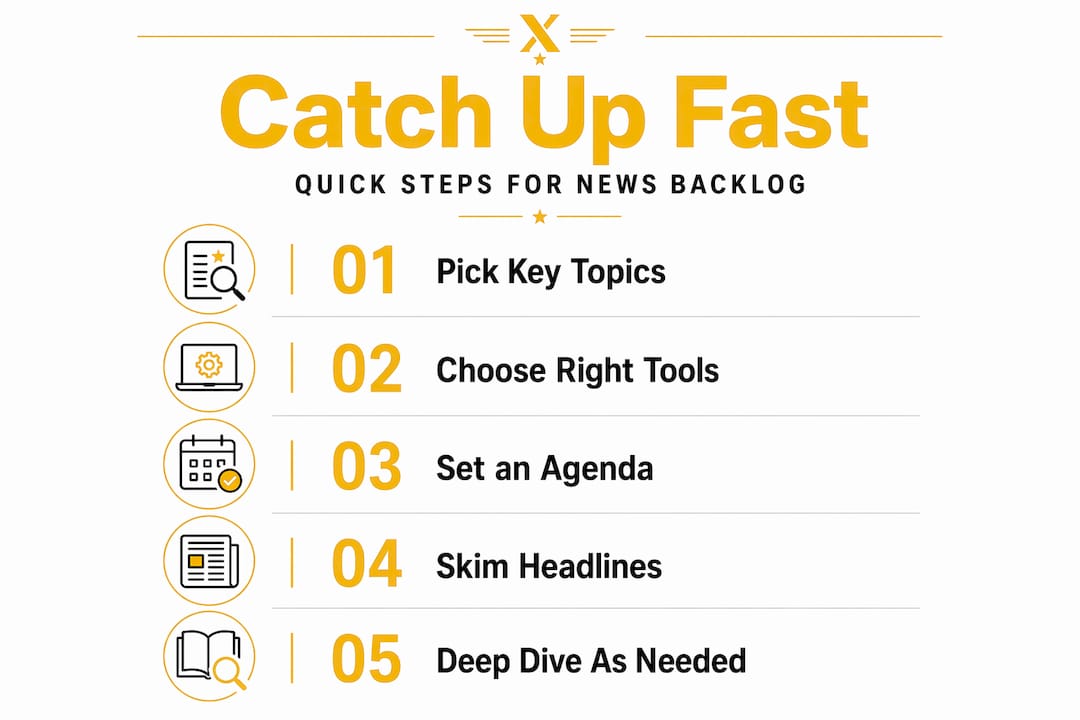
Here is a comparison of the most practical tools for catching up on missed news updates:
| Tool type | Best use case | Time required | Format |
|---|---|---|---|
| News aggregator app | Daily top news highlights scan | 5-15 minutes | Visual/text |
| Daily podcast briefing | Quick news recap on the go | 7-10 minutes | Audio |
| Email newsletter | Curated news summary for the week | 5-10 minutes | Text |
| Keyword alerts | Monitoring specific ongoing stories | Passive/on demand | Text notifications |
Pro Tip: Set up your aggregator app and podcast subscriptions on the same day. Running both in parallel gives you redundancy. If you miss the podcast, the aggregator covers it, and vice versa.
Preparing a strategy before you start reading
Jumping into a news backlog without a plan produces the same result every time: you spend 45 minutes reading and retain almost nothing useful. Preparation is what separates people who stay updated on news from those who feel perpetually behind.
Follow these steps before you open a single article or press play on a podcast:
-
Define your core topics. Most people overestimate their required reading; focusing on 5 to 10 key topics with briefings provides sufficient awareness. Write down the categories that directly affect your work, finances, or personal decisions. Everything outside that list is optional.
-
Set up keyword alerts with discipline. Create alerts only for terms that are genuinely time-sensitive. Keyword-filtered alerts routed to a single inbox reduce overload significantly compared to allowing notifications from multiple channels. Use one inbox. One folder. No exceptions.
-
Schedule a fixed catch-up window. Choose a time of day when your attention is reliable. Morning works for most people. The window does not need to be long. Reuters frames 10-minute briefings as an ideal time-boxed format for busy people, and that benchmark holds up in practice.
-
Identify the gap period. Before you start, note exactly how many days of news you missed. This matters because it shapes how you prioritize. Three missed days requires a different approach than three missed weeks.
-
Remove distractions from your catch-up session. Put your phone on do not disturb. Close unrelated browser tabs. Your catch-up window is a focused work session, not passive scrolling.
Pro Tip: Treat your news catch-up window the same way you would treat a scheduled meeting. Block it on your calendar and protect it from interruptions.
Executing your catch-up without overload
Preparation sets the stage. Execution is where most people stumble. The instinct is to read everything you missed. That instinct will exhaust you and produce diminishing returns after the first 20 minutes.
The most practical framework for managing a news backlog comes from a triage system using three categories: Action, Monitor, and Ignore.
- Action: Stories that require you to do something. A regulatory change affecting your industry, a market movement affecting your portfolio, a local event requiring a decision. Read these in full.
- Monitor: Stories that are developing and may become relevant. Skim the headline and the first two paragraphs. Set a reminder to check back.
- Ignore: Stories that are interesting but not relevant to your defined core topics. Do not read them. Acknowledge them and move on.
This triage approach converts an open-ended backlog into a bounded task. Managing information overload requires filtering techniques that transform an unbounded backlog into a bounded daily task. Without categories, every headline feels equally urgent, which is how people spend two hours reading and still feel uninformed.
For audio-first catch-up, start with a daily briefing podcast and treat it as your first pass. Audio briefings aid attention and context but should be complemented by reading full details where necessary, especially for complex items. Legal texts, economic reports, and policy documents require reading. A podcast headline on those topics tells you something happened. The document tells you what it means.

Pro Tip: When you have more than five days of backlog, start from the most recent news and work backward. Recent developments often make earlier stories irrelevant, which cuts your reading list significantly.
Here is a practical reference for batching your catch-up sessions by gap size:
| Gap period | Recommended session length | Primary format | Depth level |
|---|---|---|---|
| 1-2 days | 10-15 minutes | Audio briefing | Skim headlines |
| 3-5 days | 20-30 minutes | Aggregator + podcast | Triage + selective read |
| 1-2 weeks | 45-60 minutes | Newsletter + aggregator | Full triage workflow |
| 2+ weeks | Multiple sessions | All formats combined | Prioritize by topic |
Verifying your understanding and preventing future gaps
Catching up on missed news is only half the work. Verifying that your understanding is accurate, and building habits that prevent the same backlog from forming again, is what makes the effort durable.
Use these steps after completing a catch-up session:
-
Cross-check two or three key headlines. Find the same story on two different best news sources to confirm the facts align. Discrepancies in framing or detail are a signal to read more carefully before drawing conclusions.
-
Ask a follow-up question for each Action item. After reading a story you categorized as Action, write one sentence summarizing what you now know and what you still need to find out. This forces comprehension rather than passive reading.
-
Review your alert keywords monthly. News cycles shift. Topics that were critical in January may be resolved by March. Removing outdated keywords from your alert system prevents the alert fatigue that causes people to ignore all alerts, including the important ones.
-
Set a weekly recap checkpoint. Once per week, spend five minutes reviewing what you covered. Note any developing stories from your Monitor category that have progressed. This weekly checkpoint functions as a news summary for the week and keeps your awareness current without requiring daily deep reading.
-
Monitor for news fatigue. If your catch-up sessions start feeling like a burden rather than a tool, reduce the frequency or length before you abandon the habit entirely. Sustainable routines outperform intensive ones that collapse after two weeks.
The goal is not to read everything. Effective catch-up requires defining what counts as missed and focusing on those gaps, rather than attempting to cover all news. That principle applies whether you are catching up on vaccines or headlines.
My take on managing news without burning out
I have spent years watching people build elaborate news systems that collapse within a month. The pattern is consistent. Someone falls behind, feels the pressure of missed news, and responds by subscribing to twelve newsletters, setting up 40 keyword alerts, and downloading three podcast apps. Within three weeks, they have stopped opening any of it.
The systems that actually hold up are boring by comparison. One podcast. One aggregator. One inbox for alerts. A 10-minute window in the morning. That is it. The attention is the main constraint when people are overloaded by information, and no tool solves an attention problem by adding more inputs.
What I have found genuinely useful is defining what "missed" actually means before starting. If you work in finance, missing three days of Federal Reserve commentary is significant. Missing three days of entertainment news is not. Most people treat all missed news as equally urgent, which is the root of the overwhelm.
My recommendation: pick five topics you genuinely need to track. Build your system around those five. Everything else is optional reading when you have time, not a backlog to clear.
— Trevor
Stay current with Thexreporter
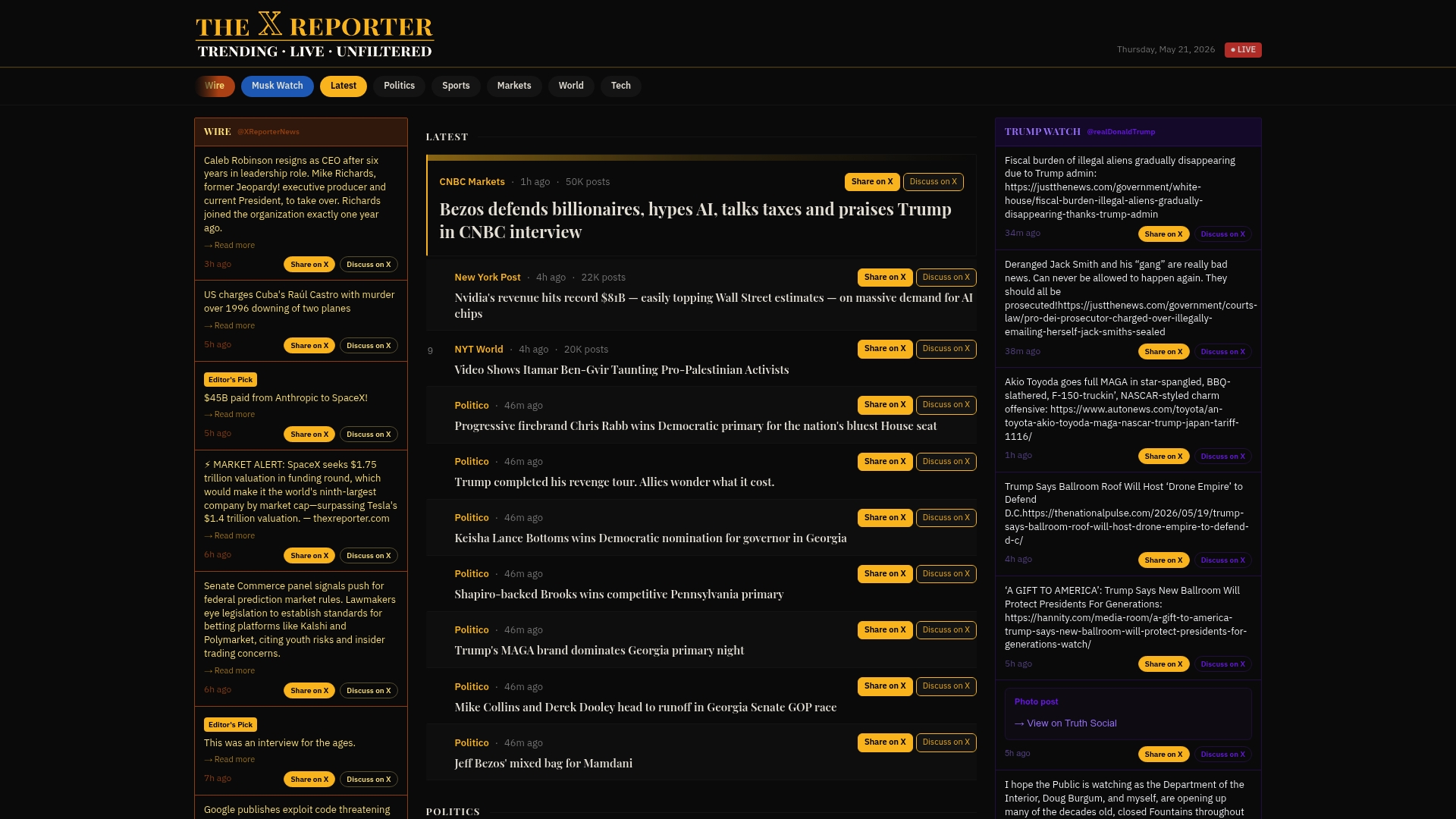
Thexreporter is built for exactly the situation this article describes. It aggregates breaking stories from across the web, adds short editorial context to the most significant developments, and delivers daily summaries that give you a clear picture of what happened without requiring hours of reading. Whether you need a quick news recap after a few missed days or want to stay updated on news as it breaks, the platform keeps the signal high and the noise low. Visit Thexreporter to access real-time top news highlights, filtered and organized so your next catch-up session takes minutes, not hours.
FAQ
What is the fastest way to catch up on missed news?
A daily audio briefing podcast combined with a news aggregator app covers most essential updates in under 15 minutes. Start with the most recent news and work backward to cut your reading list.
How many topics should I track to stay updated on news?
Most people need to track only 5 to 10 core topics to maintain sufficient awareness. Attempting to follow everything produces overload without meaningfully improving comprehension.
How do I avoid alert overload when setting up missed news updates?
Route all keyword alerts to a single inbox and review them in one session rather than responding to each notification individually. Remove outdated keywords monthly to keep the signal relevant.
How long should a news catch-up session take?
For a gap of one to two days, 10 to 15 minutes is sufficient. Longer gaps of one to two weeks may require 45 to 60 minutes spread across multiple sessions using the triage framework.
What is the triage method for managing a news backlog?
The triage method sorts incoming news into three categories: Action, Monitor, and Ignore. This converts an open-ended backlog into a structured task and prevents every headline from feeling equally urgent.