

You tap your phone and see a breaking news alert before you have even unlocked the screen. That alert looks instant, but it traveled through a chain of servers, operating system services, and editorial decisions before it reached you. Understanding how news pushes notifications to your device reveals a surprisingly complex process that affects not just delivery speed, but whether you actually click, read, and stay engaged with a news source over time.
Table of Contents
- Key takeaways
- How news pushes notifications through your device
- How notification timing shapes user engagement
- Editorial and technology strategies in alert pipelines
- Customizing and managing your news notifications
- My take on getting push notifications right
- Stay ahead with Thexreporter
- FAQ
Key takeaways
| Point | Details |
|---|---|
| Multi-step delivery process | Every news notification passes through OS-level services like APNs or FCM before appearing on your screen. |
| Timing affects engagement | A delay of 1 to 6 minutes after your screen turns on produces measurably higher engagement than immediate delivery. |
| Editorial pipelines filter noise | Newsrooms use clustering and deduplication to prevent redundant alerts from overwhelming users. |
| User controls shape your experience | Customizing notification categories and frequency reduces fatigue while keeping you informed. |
| Trust depends on editorial discipline | False or misleading breaking news alerts erode opt-in rates faster than any other notification type. |
How news pushes notifications through your device
The process begins the moment you install a news app. The app registers with your phone's operating system push service, which is Apple Push Notification service (APNs) on iOS or Firebase Cloud Messaging (FCM) on Android. That registration produces a unique device token, a string of characters the app's backend uses to identify exactly where to send future messages.
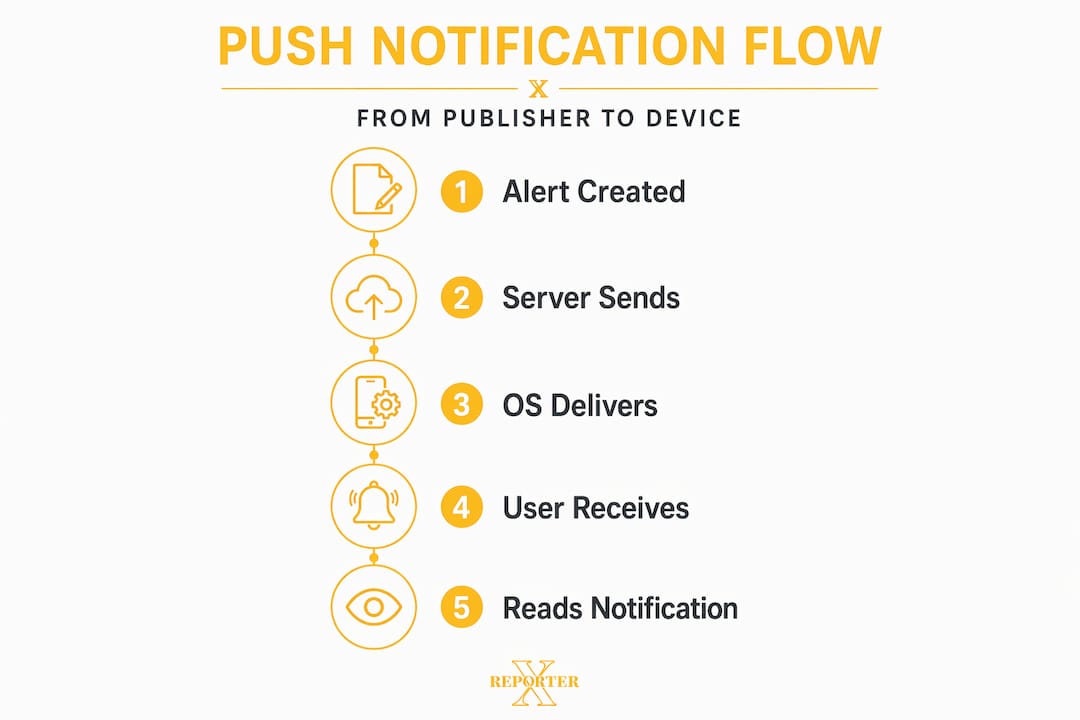
When a publisher decides to send a news alert, the backend server retrieves stored tokens and fires a request to APNs or FCM. The OS service then queues and relays the message to your device, even when the app is fully closed. Your device renders the notification based on your system settings and the payload the publisher sent. The full delivery chain looks like this:
- App registers with OS push service and receives a device token.
- Backend stores the token, mapped to your account or device.
- Publisher triggers an alert from the backend.
- Backend sends the message payload to APNs or FCM.
- OS push service queues and delivers the message to your device.
- Device OS renders the notification according to your permission settings.
There are two broad notification types. Remote notifications are server-triggered and account for virtually all news alerts you receive. Local notifications are generated by the app itself, typically for reminders you set manually. Most readers only ever interact with remote notifications.
Pro Tip: If you are not receiving alerts from a news app you trust, check your OS notification permissions first. The majority of delivery failures trace back to device permission states, not broken publisher infrastructure.
Users with multiple devices require additional backend handling. The token lifecycle must be managed carefully so that all your devices receive alerts consistently, and publishers must refresh stale tokens when you reinstall an app or upgrade your phone.
How notification timing shapes user engagement
Sending a news alert at exactly the wrong moment costs publishers more than they might expect. Research from a 2026 quasi-experiment on notification timing and engagement found that delivering a push alert the instant a user's screen turns on actually reduces same-day app logins by roughly 16%. The alert lands when attention is unfocused and gets dismissed rather than acted on.
The same research identified a non-monotonic pattern. A modest delivery delay of 1 to 6 minutes after a screen-on event produces the strongest engagement response. Users have had just enough time to orient themselves before the alert arrives.
- Weekday mornings matter most. Intrusiveness peaks during commute hours, making poorly timed alerts especially damaging to user trust.
- Peak engagement windows vary by topic. Market news performs better in early morning; political alerts often spike engagement around midday and evening.
- Consecutive alerts compress engagement. Sending two alerts within minutes of each other reduces the click rate on the second one significantly.
- Night-time delivery is rarely justified. Unless it is a genuine emergency, late alerts generate dismissals and, frequently, notification opt-outs.
"Immediacy is not always optimal. Research consistently shows that a modest delay balances intrusiveness versus timeliness, improving user experience especially during high-stakes periods." — Not So Timely: Push-Notification Timing and User Engagement
For readers, this timing data has a practical implication. If your news app allows scheduled delivery windows, setting them to align with your natural screen-check habits can substantially reduce interruptions without sacrificing awareness. You can also explore resources on optimizing news consumption for a broader framework on managing information intake throughout the day.
Editorial and technology strategies in alert pipelines
Getting the right alert to the right person at the right time requires more than a fast server. Modern news alert pipelines are built around three core operations: clustering, deduplication, and significance detection.
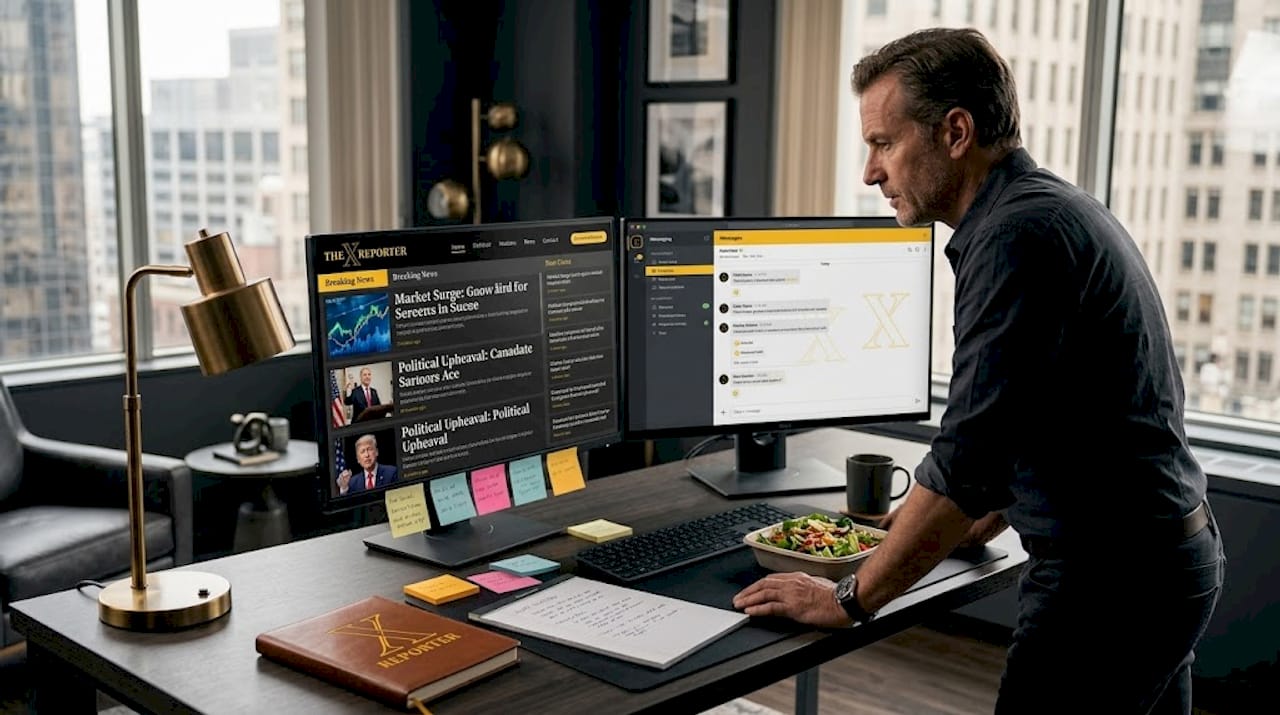
When multiple sources publish similar stories within minutes of each other, a raw alert system would send a separate notification for each one. Instead, production pipelines use fuzzy matching and clustering to group near-identical stories into a single event cluster. Only one alert goes out per cluster, representing the most significant or complete version of the story.
| Stage | Function |
|---|---|
| Ingestion | Raw articles and headlines pulled from multiple sources in real time. |
| Normalization | Text cleaned, dates standardized, duplicates flagged at a basic level. |
| Enrichment | Entity extraction applied; people, places, and organizations identified. |
| Clustering | Fuzzy matching groups semantically similar stories into event clusters. |
| Alerting | Highest-priority cluster triggers a single notification to relevant users. |
Deduplication prevents users from receiving three alerts about the same Federal Reserve statement just because three wire services published it. Semantic similarity scoring measures how alike two articles are in meaning, not just exact wording, which catches paraphrased versions of the same story.
Pro Tip: When evaluating a news app's quality, watch how it handles rapidly developing stories. An app that sends five separate alerts in 20 minutes about the same event has not invested in proper deduplication practices. That is a signal about editorial discipline, not just technology.
Breaking news alerts require the highest editorial discipline of all. False breaking news alerts erode opt-in rates faster than any other notification type. A single inaccurate alert about a market crash or political development can cause hundreds of users to disable notifications permanently.
Customizing and managing your news notifications
Understanding the mechanics of push alerts makes it easier to configure them to your advantage. Most news apps and both major mobile operating systems offer granular controls that go largely unused. Here is how to approach them effectively:
- Audit your current permissions. Review which apps have notification access in your OS settings. Most users find they have granted permission to apps they rarely open.
- Choose categories over volume. Many news apps let you select specific topics such as markets, politics, or technology rather than receiving all alerts. Category-specific settings reduce noise while preserving the benefits of news push notifications you actually care about.
- Set delivery schedules. iOS Focus modes and Android notification scheduling allow you to restrict alert delivery to specific time windows, which aligns with the engagement research on timing.
- Treat frequency as a dial, not a switch. Rather than turning all alerts off when overloaded, dial back the frequency setting first. Many readers go from notification fatigue to complete disengagement when turning off is the only option they use.
- Reassess monthly. Your news priorities change. A monthly review of your notification settings keeps your alert stack relevant to what actually matters to you.
User opt-in and OS permission states are the final filter in every delivery chain. Even a perfectly configured publisher backend cannot overcome a device set to silence all notifications. Managing those settings is, ultimately, your most direct control over the entire system.
My take on getting push notifications right
I have spent years watching how readers interact with news alerts, and the pattern that stands out most is this: the publishers who send the fewest alerts tend to build the most loyal audiences. That sounds counterintuitive when the instinct is to push every update.
What I have found is that timing and editorial quality matter far more than speed. An alert that arrives 90 seconds later but is accurate, well-framed, and genuinely significant will generate more engagement than an instantaneous one that turns out to be incomplete. The race to be first has cost several major outlets real opt-in numbers when corrections followed breaking alerts.
My recommendation to readers is to treat your notification settings as a deliberate choice, not a default. Every alert you allow through is a claim on your attention. Publishers who understand that relationship invest in smart pipelines and editorial discipline. The ones who do not will show you quickly, and when they do, turn them off without hesitation.
— Trevor
Stay ahead with Thexreporter
Thexreporter applies the same principles discussed in this article to deliver timely, accurate, and concise news alerts across politics, markets, and technology. The platform curates breaking stories into clear editorial summaries so you receive context alongside the headline, not just a raw update. Every alert is designed to inform without flooding your screen with redundant notifications. If you want news alerts that respect your attention and deliver genuine signal, explore what Thexreporter has to offer and take control of how you stay informed.
FAQ
What is a news push notification?
A news push notification is a server-triggered message sent from a publisher's backend through OS services like APNs or FCM to display an alert on your device, even when the app is closed.
How does timing affect push notification engagement?
Research shows that immediate delivery upon screen-on reduces app logins by about 16%, while a 1 to 6 minute delay produces higher engagement.
Why do I get duplicate news alerts?
Duplicate alerts indicate the publisher's pipeline lacks proper deduplication. Well-built systems use fuzzy clustering to group similar stories and send only one alert per event.
How do I reduce news notification overload?
Use category-specific settings within your news app to filter by topic, apply OS-level scheduling to limit delivery windows, and conduct a monthly review of which apps still have permission to send alerts.
Why should I trust one news app over another for breaking alerts?
Editorial discipline separates reliable sources from noisy ones. Publishers with low false-alarm rates and tight deduplication practices maintain higher user trust. Breaking news accuracy is the single strongest predictor of long-term notification opt-in.