

Finding local news coverage online means accessing your community's current events through local TV station streams, dedicated apps like NewsON, and customized alerts. Online-only local news sources now reach 42% of U.S. adults, up from just 15% in 2018. That shift means the tools available to you today are more capable and more varied than ever. Combining two or three of these sources gives you faster, more complete coverage than any single platform can provide.
How to find local news coverage online: the main platforms
The most direct way to access regional news sites is through your local TV station's website. Stations like News 12 publish dedicated "watch live" pages that let you select your cable or streaming provider and tune in immediately. Most of these pages also offer on-demand clips organized by topic, so you can catch up on crime, weather, or politics without sitting through a full broadcast.
Beyond individual station sites, dedicated aggregator apps have changed how residents access community news. NewsON streams live local news from 285 or more U.S. stations at no cost, with both live and on-demand content available across mobile and connected TV devices. That breadth makes it one of the best local news websites in terms of sheer reach.

Social media platforms and standalone news apps round out the picture. Pew Research data shows that 34% of U.S. adults now prefer social media sites and news websites or apps for local news. That figure reflects a genuine behavioral shift, not just a generational one. Residents of all ages are moving toward on-demand, notification-driven access rather than scheduled broadcasts.
Here is a quick comparison of the main platform types:
| Platform type | Best for | Cost |
|---|---|---|
| Local station website | Real-time local streams and alerts | Free (some require provider login) |
| NewsON app | Multi-station access and on-demand clips | Free |
| Social media pages | Breaking news and community discussion | Free |
| Email newsletters | Daily summaries and curated updates | Free or paid subscription |
Pro Tip: Bookmark your local station's live page and your NewsON favorites list on your phone's home screen. Two taps gets you to live coverage during any breaking situation.
How to use local TV station websites for real-time news
Local station websites are the most direct path to verified, real-time community news coverage. Follow these steps to get the most out of them:
- Search your station by call letters or city. Type your city name plus "local news" or "TV news" into Google. Stations like News 12, KHOU, or WXYZ will appear at the top of results for their respective markets.
- Locate the live stream page. Most station sites label this "Watch Live" or "Live Stream" in the top navigation. Click it and select your TV provider if prompted.
- Confirm device and provider compatibility. Some streams require a TV provider login or a cable subscription, so verify this before you rely on the stream during a breaking event.
- Browse topical categories. Station websites organize content into sections such as weather, crime, traffic, and politics. Clicking directly into a category saves time compared to scrolling a general feed.
- Subscribe to email alerts. Most station live pages include an email subscription option. News 12's Westchester page, for example, lets you sign up for email updates directly from the live stream section.
- Enable push notifications. On mobile, allow the station's app to send push alerts. This delivers breaking news to your lock screen without any active searching on your part.
Pro Tip: Use your browser's bookmark folders to organize stations by topic. Create one folder for weather-focused stations and another for political coverage. This cuts access time to under 10 seconds during fast-moving stories.
The optimal workflow is opening your station's live page, enabling alerts, and bookmarking two or three topical categories you check daily. Residents who set this up once rarely need to search for local news again.
NewsON vs. individual station websites: which works better?
The choice between a centralized aggregator and a direct station site depends on your situation. Neither is universally superior, and most residents benefit from using both.
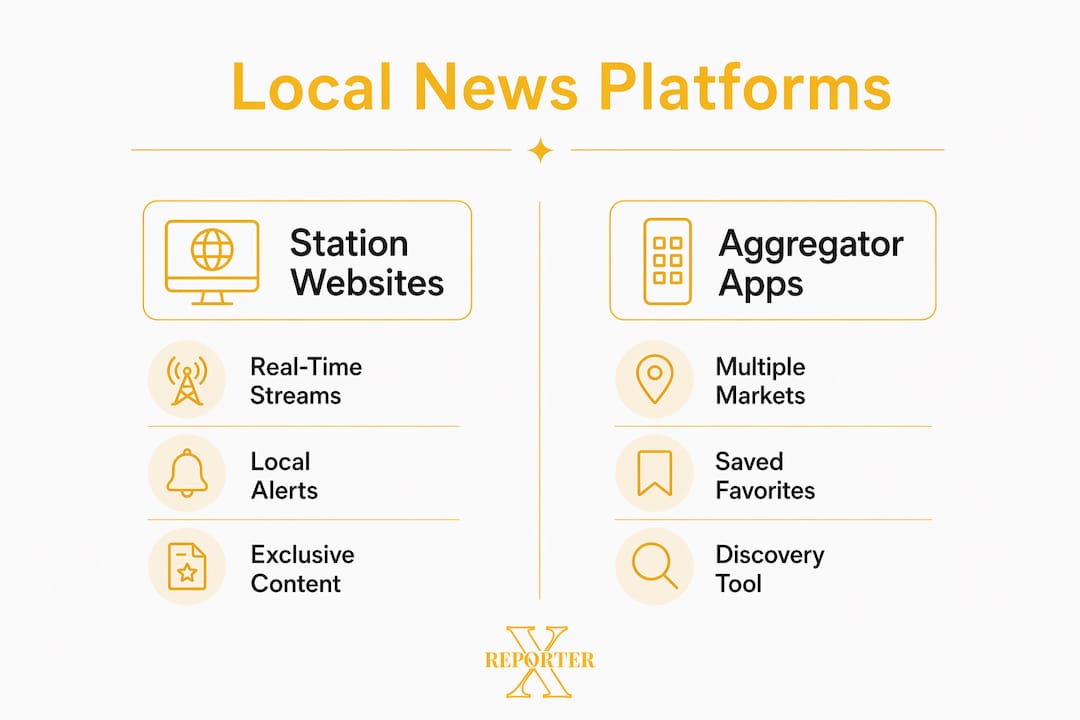
NewsON's core advantage is breadth. Its saved favorites feature lets you pin multiple stations from different markets, which is particularly useful if you split time between two cities or travel frequently for work. You get one app, one interface, and access to hundreds of local feeds without managing separate logins.
Individual station websites offer depth that aggregators cannot match. Stations publish exclusive local content, specialized weather radars, and community-specific alerts that never appear in a national aggregator's feed. If you live in one market and want the most granular coverage of your neighborhood, the station's own site or app is the better primary source.
Consider these factors when deciding:
- Device compatibility: Streaming access varies by device and provider. NewsON works across iOS, Android, Roku, and Amazon Fire TV. Station apps vary more widely.
- Content exclusivity: Station websites often post content hours before it appears in aggregator catalogs.
- Notification quality: Station apps send hyper-local alerts. NewsON notifications are broader and market-level.
- Ease of discovery: For residents new to an area, NewsON's multi-market coverage reduces the effort of finding which local station covers which topics.
The practical answer for most residents is to use NewsON as a discovery and backup tool while treating your primary local station's website as the main source. This mirrors how digital news consumption has evolved: people use aggregators to scan broadly and go direct for depth.
How to set up notifications and alerts for local news
Personalized notifications are the most efficient way to stay informed without actively searching for updates. Pew Research findings confirm that timely local news access has shifted toward website and app notifications rather than scheduled TV broadcasts. Setting these up takes less than five minutes.
- Download your local station's app from the App Store or Google Play. Open settings and allow push notifications when prompted.
- Select alert topics. Most station apps let you choose categories: severe weather, traffic incidents, crime alerts, or political developments. Select only what matters to you to avoid notification fatigue.
- Enable browser notifications on your station's website if you prefer desktop access. Most sites display a permission prompt on your first visit.
- Subscribe to one email newsletter. A daily morning digest from your station or a platform like Thexreporter gives you a structured summary without constant interruptions.
- Review and trim monthly. Notification overload causes people to disable alerts entirely. Audit your active alerts every 30 days and remove categories you no longer read.
Pro Tip: Set severe weather and breaking crime alerts to "immediate" delivery and all other topics to a daily digest. This keeps your phone quiet during routine news cycles while still reaching you instantly when something urgent happens.
Understanding how push notifications work at the technical level helps you troubleshoot delivery issues and choose the right settings for your device. For a deeper look at what qualifies as truly local coverage, the concept of hyperlocal news explains why neighborhood-level reporting differs from city-wide broadcasts.
Key takeaways
Combining a local station website, a free aggregator app like NewsON, and targeted push notifications gives residents the fastest and most complete access to online community news coverage.
| Point | Details |
|---|---|
| Station websites are primary | Local TV station sites offer live streams, exclusive content, and hyper-local alerts unavailable elsewhere. |
| NewsON expands reach | NewsON aggregates 285 or more U.S. stations for free, making it ideal for travelers and multi-market residents. |
| Notifications replace active searching | Enabling push alerts and email digests delivers breaking news without requiring you to open an app. |
| Verify device compatibility | Some live streams require a TV provider login. Confirm access on your specific device before a breaking event. |
| Use both tools together | Aggregators provide breadth; station sites provide depth. Using both covers the gaps each leaves on its own. |
What I've learned from years of tracking local news online
The biggest mistake residents make is picking one source and stopping there. A single station app covers your market well on a normal day, but it fails the moment a story crosses county lines or your primary stream goes down during peak traffic. I have seen this happen repeatedly during severe weather events, when the exact moment everyone needs live coverage is when individual station servers buckle under load.
My personal workflow: NewsON runs on a tablet as a background feed, while my primary local station's app sends me push alerts for weather and crime. I check a curated morning digest from Thexreporter for broader context on stories that started locally but carry regional implications. That three-layer approach has never left me uninformed during a breaking situation.
The misinformation risk is real and underappreciated. Social media surfaces local news fast, but it also surfaces unverified claims at the same speed. I treat social platforms as a tip sheet, not a source. If a story appears on social media, I verify it against the station's own website before accepting it as fact. That habit alone filters out a significant share of false reports that circulate during emergencies.
Notification overload is the other failure mode. Residents who enable every alert category quickly mute everything, which defeats the purpose entirely. Start with two categories, live with them for a week, then add more if the volume feels manageable.
— Trevor
Stay current with Thexreporter
Thexreporter delivers timely editorial summaries on breaking news across politics, markets, and community developments, distilling complex stories into clear, concise updates you can read in under two minutes.
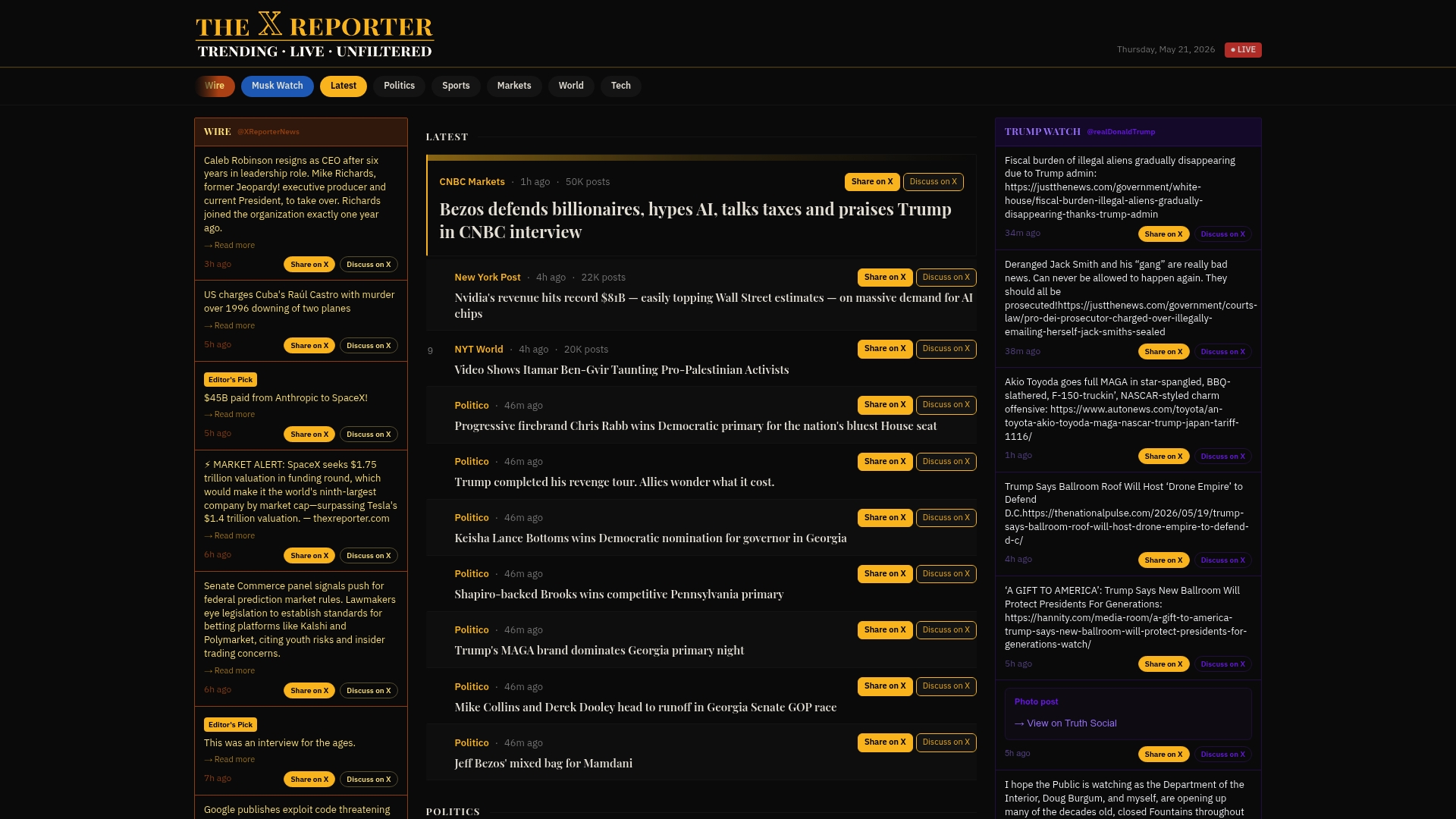
For residents who want a single, reliable starting point for live and trending local news, Thexreporter organizes the day's most significant stories without the noise of a raw social feed. Use it alongside your local station app and NewsON to cover every layer of your community's news cycle. Visit Thexreporter to see what is happening in your area right now.
FAQ
How do I find local news coverage online for free?
Local TV station websites and the NewsON app both offer free live streams and on-demand clips. No subscription is required for most markets, though some streams ask for a TV provider login.
What is the best app for local news online?
NewsON is the most widely available free option, streaming live content from 285 or more U.S. stations. For hyper-local alerts and exclusive content, your primary local station's own app is the stronger choice.
How do I get breaking local news alerts on my phone?
Download your local station's app, open notification settings, and select the alert categories relevant to you. Severe weather and crime alerts are typically available as immediate push notifications.
Are social media pages reliable for online community news coverage?
Social media surfaces local news quickly but carries a higher risk of unverified claims. Use it to identify stories, then confirm details on your local station's website before treating the information as accurate.
Why does my local station's live stream require a login?
Some live stream pages require a cable or satellite TV provider login to access full content. Check the station's website for a free stream option or use NewsON as an alternative for provider-free access.